$35.91
$44.89
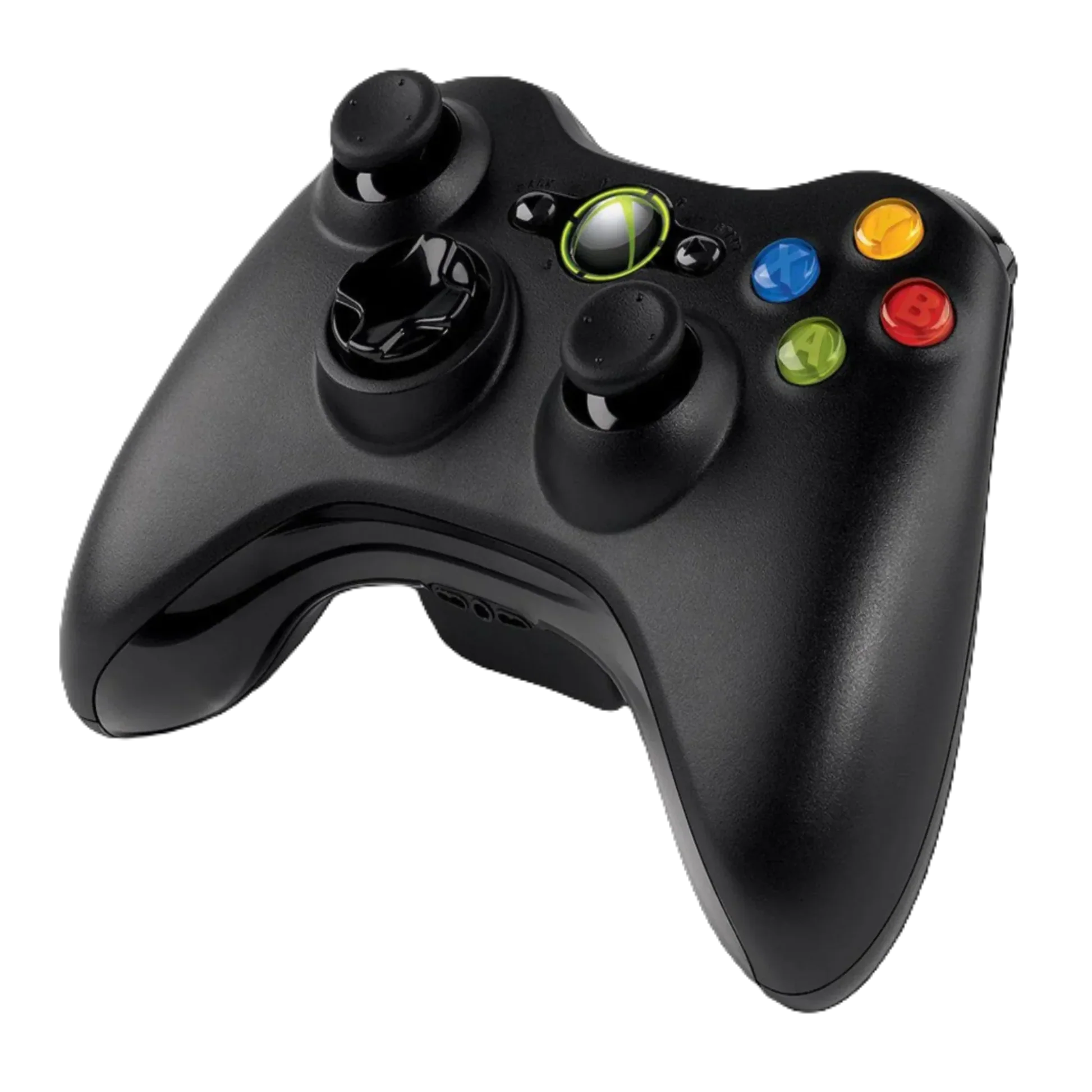
Introduction to the Xbox 360 Controller for Windows The Xbox 360 Controller for Windows is considered the ultimate choice that has redefined the PC gaming experience for years, bringing the legendary comfort and precision of the Xbox 360 directly to the world of PC gaming. Free yourself from wires and immerse yourself in a seamless gaming experience thanks to a package specifically designed to ensure instant compatibility and unparalleled performance, making it ideal for long gaming sessions on Windows systems. In this comprehensive review, we will cover all aspects of the Xbox 360 Controller for Windows, from its technical specifications designed for PC to its historical role in standardizing game controls, making it an excellent choice for those considering buying an original Xbox 360 controller for PC. This review focuses on the user experience on PC, with a detailed analysis of the controller’s specifications and how it set a new standard for precise control and comfort, especially when searching for an Xbox 360 Controller for Windows. Videos and Practical Experiences How to Watch the Experiences To get a more detailed look at the controller’s design, button quality, responsiveness, and its actual performance in various PC games, you can watch videos reviewing it on YouTube. Search for “Xbox 360 for Windows controller review” or “Xbox 360 for Windows performance” to see practical experiences and deeper analysis. Watch videos on YouTube Detailed Specifications of the Xbox 360 Controller for Windows Basic Technical Features and Build Quality The Xbox 360 Controller for Windows was designed primarily for PC gamers, carrying with it the Ergonomic design that has been acclaimed by millions. The most prominent feature is the full compatibility package with PC (most versions of Windows XP SP2, Vista, 7, 8) thanks to the included wireless gaming receiver. The controller features Double vibration feedback motors, giving players a greater sense of realism in their PC games. The controller connects wirelessly via 2.4 GHz technology, ensuring a stable connection with a range of up to 9 meters. One of its main strengths is the long battery life exceeding 40 hours of continuous play, with a feature that alerts players when the battery is low with enough time to connect the “Play and Charge Kit” and continue playing without interruption. Design and Connectivity The controller features a robust and practical design, with a focus on hand comfort. Its dimensions (15.2 x 10.7 x 5.4 cm) and weight (300 grams) are designed to provide a firm and comfortable grip. The wireless connection eliminates cable clutter, while the included wireless gaming receiver ensures an easy and direct connection to the PC without the need for any complex setup. Gaming Technologies and Control In addition to the standard buttons, analog sticks, and dual top triggers, the adjustable dual vibration feature (high, medium, low, or off) provides an immersive experience. It also features an Xbox Guide button for quick access to supported activities, and a dedicated port for connecting a headset for communication in games that support Windows Live. The Controller’s Role in the Gaming Experience Your Interactive Interface with the Gaming World The controller is the tool that translates your commands into actions within the game, and the Xbox 360 Controller for Windows has set the standard for game control on the PC. The quality of the controller greatly affects the gameplay, control, and immersion experience. A controller like this, with its PC-oriented specifications, plays a crucial role in: Input Precision and Responsiveness: Well-designed buttons and analog sticks provide fast and accurate response, which made it ideal for PC games that suffered from poor controller support. Comfort and Durability: The ergonomic design allows for longer gaming sessions without fatigue, and Microsoft’s manufacturing quality ensures durability for long-term use. Haptic Feedback (Vibration): The dual vibration motors that work smoothly on the PC enhance immersion and add a layer of realism. Guaranteed Compatibility: Thanks to the XInput standard, this controller became the standard that developers design their games around for the PC. Plug and Play Ease of Use: The ability to connect the receiver and play directly without complex drivers. In short, this controller was not just an accessory, but a solution to the problem of game control on the PC. Technology Used and Microsoft Features Advanced Control Technologies The Xbox 360 Controller for Windows integrates several technologies that made it the first choice for PC users: 2.4 GHz Wireless Technology: Provides a stable and reliable wireless connection with a range of up to 9 meters via a dedicated USB receiver. Battery Life Exceeding 40 Hours: Ensures long hours of continuous play and an alert when the battery is low. Adjustable Dual Vibration: Allows customization of the vibration level (high, medium, low, off) in supporting games. Ergonomic Design: Designed to fit the shape of the hands perfectly to provide maximum comfort during PC gaming. Native XInput Standard: Ensures instant compatibility and full support in thousands of games on Windows. Integrated Headset Port: Allows for direct voice communication with other players in supporting games. Choosing the Right Setup for the Xbox 360 Controller for Windows Getting the Most Out of Your Controller The Xbox 360 Controller for Windows is the perfect addition for any PC gamer. Compatible Devices: Primarily PC (Windows XP SP2, Vista, 7, 8), and it is also compatible with the Xbox 360 console. Connection: The package comes with the Xbox 360 Wireless Gaming Receiver for Windows, ensuring an easy and direct connection. Games: Ideal for all PC games that support controllers, as it became the gold standard that games are designed based on. Personal Preferences: Its ergonomic design suits most hand sizes, which is a key reason for its popularity among PC gamers. Build Tips Users can visit the Choose Your PC Build page on the Alpha Tech website to find PC builds that can benefit from an essential accessory like the Xbox 360 Controller for Windows, especially when searching for the price of an Xbox 360 controller for PC in Algeria. Comprehensive Search Information about the Xbox 360 Controller for Windows in Algeria Researchers use various search terms such as “price of Xbox 360 controller for PC,” “prix manette Xbox 360 for Windows dz,” “Xbox 360 PC controller price,” “original wireless controller for PC,” “Microsoft controller for PC,” “buy Xbox 360 controller for PC,” and “Xbox 360 controller algeria” to find information specific to this package. These keywords reflect the widespread interest in obtaining the official version dedicated to PC, which guarantees instant compatibility and build quality, and its price in the local Algerian market. Comparing the Xbox 360 Controller for Windows with Competing Controllers When comparing the Xbox 360 for Windows package with other controllers: Versus Newer Controllers (like Xbox One/Series): Newer controllers may offer design improvements, but the 360 for Windows controller laid the foundation and still offers reliable performance at a lower cost. Versus Buying an Xbox 360 Controller and a Separate Receiver: Its main advantage is guaranteeing an official signal receiver and instant compatibility without the hassle of searching for separate parts that may not be original. Versus Third-Party Controllers: This package stands out with Microsoft’s build quality, seamless native compatibility with Windows systems thanks to the XInput standard, and unmatched reliability. The Xbox 360 for Windows package is the optimal choice for those looking for a guaranteed and reliable “plug and play” experience on the PC. User Reviews and Experiences with the Xbox 360 Controller for Windows in Algeria The opinions of PC gamers show that this package was the perfect solution for compatibility issues. Users often praise: The comfortable grip and ergonomic design for long PC gaming sessions. The durability and quality for which Microsoft products are known. The ease of Plug and Play use on Windows systems. The long battery life that meets the needs of PC gamers. Being the official standard that ended the chaos of controllers on PC. Value for Money: Getting an official controller and receiver in one package was an excellent deal. Phrases like “Xbox 360 for Windows experience in Algeria” or “best PC controller dz” are often mentioned when discussing it. Users always advise making sure the package is original and includes the official receiver. Practical Steps Before Buying the Xbox 360 Controller for Windows Read reviews that focus on its experience on PC and its compatibility with new and old games. Search for “Xbox 360 for Windows review”. Ensure its classic features and ergonomic design suit your gaming style on the PC. Verify that the package you are buying is the official “for Windows” version and includes the wireless gaming receiver. Compare prices between different trusted stores in Algeria when searching for “buy Xbox 360 for Windows in Algeria” or “Xbox 360 controller PC price algeria”. Consider buying the “Play and Charge Kit” as an add-on for a continuous wireless gaming experience. Check the warranty and return policy of the seller. These steps help you make an informed decision and ensure you get the original PC-oriented package. The Role of the Xbox 360 Controller for Windows in the Gaming Accessories Market in Algeria The “Xbox 360 Controller for Windows” package played a revolutionary role in standardizing the gaming experience on the PC. Before it, controller support was chaotic and non-uniform. By introducing an official package with native support and the XInput standard, Microsoft encouraged developers to adopt a single standard, leading to a seamless and unified gaming experience for millions of players in Algeria and around the world. This standardization made it the best-selling and most influential product in its category, and spurred interest in gaming with controllers on the PC. Its legacy remains, as most modern controllers still use the XInput standard it established. Tips to Improve the Experience and Maintenance for the Xbox 360 Controller for Windows General Tips To get the best experience from your controller and maintain it: Correct Connection: Plug the signal receiver into a USB port and press the sync button on both the receiver and the controller to pair them. Install Software (if necessary): Some older versions of Windows may require installing a simple driver from the Microsoft website. Keep it Clean: Clean the controller regularly with a soft, dry cloth to maintain button responsiveness. Proper Battery Charging: Use high-quality AA batteries or invest in the official “Play and Charge Kit” to preserve battery life. Avoid Liquids and Drops: Spilling liquids or dropping the controller can damage internal components. Be careful. Periodic Maintenance Controllers do not usually require extensive maintenance, but keeping them clean and dry, and handling them with care, helps to extend their lifespan and maintain their excellent performance on the PC. Are you ready for the unified and ideal gaming experience on your PC? The Xbox 360 Controller for Windows might be the addition you need! Visit the Choose Your PC Build page now to explore compatible hardware or look for it at authorized dealers! Why is the Xbox 360 Controller for Windows an Excellent Choice for Gamers in Algeria? The Xbox 360 Controller for Windows is a historic and compelling choice for PC gamers in Algeria who value reliability and instant compatibility. Thanks to its ergonomic design, dual vibration, guaranteed wireless connection via the official USB receiver, and long battery life, this package offers a perfect “plug and play” experience on PC. We have reviewed its technical specifications, its practical design, and its pivotal role in standardizing gaming controls through the XInput standard. Although it’s not the newest, it represents the foundation upon which modern PC gaming experiences were built, and offers reliability and quality that are still sought after today. If you plan to buy a controller for PC in Algeria and want a tried and tested option that requires no complex setup, the Xbox 360 for Windows package is definitely worth your serious consideration. Be sure to compare prices and verify that you are buying the original package to get the best value for the prix Xbox 360 for Windows dz. It represents a smart investment for an enjoyable and precise gaming experience on the PC. For more articles and tech updates, follow us on the Alpha Tech website and benefit from the latest news and exclusive offers. Follow us on social media: Facebook Instagram
Controllers